Nerdminer V2 - USB Cable
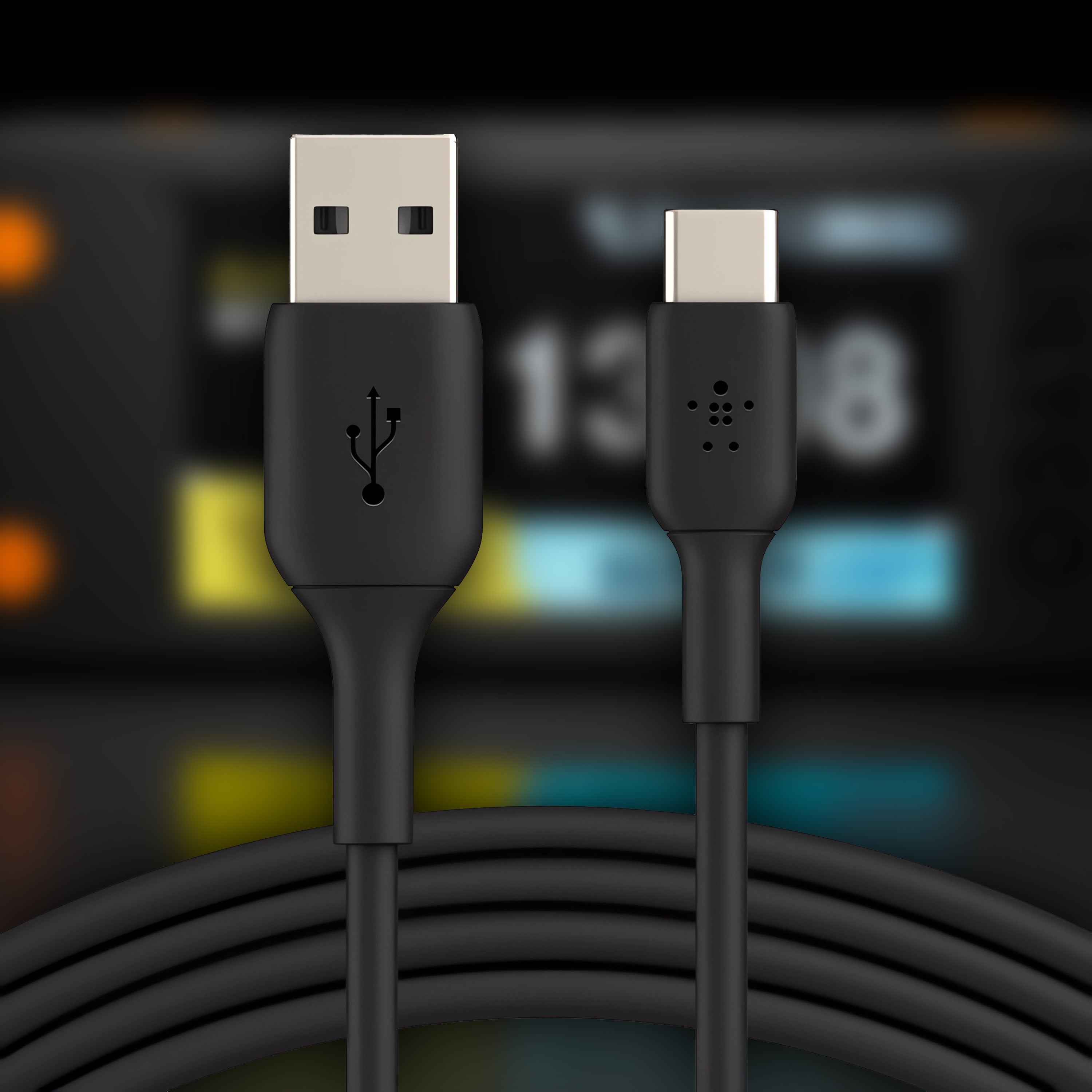
USB-C Datenkabel — geprüft kompatibel mit Nerdminer V2 und NerdNOS
Das USB-C Datenkabel für deinen Solo-Miner: 1 Meter, voll verdrahtet für echte Datenübertragung, geschirmt gegen Signalstörungen, bis 3 A Stromübertragung. Ein reines Ladekabel vom Handy reicht nicht — der Browser-Flasher findet den Miner nicht, Setup-Kommunikation scheitert. Unser Kabel ist exakt dafür getestet.
In stock, ships in 2 to 3 business days
Free shipping within Germany · DHL GoGreen, carbon neutral
Why the right USB-C cable decides how your mining goes
It sounds trivial, but it is the most common setup problem with solo mining hardware: a USB-C plug does not automatically mean data transfer. Many of the cheap cables that come with phones, power banks or headphones are charge-only cables. They carry power but no data. Those cables are exactly why Nerdminers supposedly "do not work" or why firmware updates abort in the browser.
- Only 2 of the 4 data lines wired
- The PC does not see the miner on the USB port
- The browser flasher finds no device
- Serial communication with the ESP32 fails
- Usually the cheap cable bundled with a phone
- All 4 data lines fully wired
- The miner is recognised as a USB serial device
- The browser flasher can reach it directly
- Stable communication during a firmware update
- Our USB-C cable above, tested compatible
Which miner needs which cable?
Both BitMiner24 miners use a USB-C input. The difference is what comes in the box and what you use it for.
Nerdminer V2
No cable included. You need a USB-C data cable to connect the miner to a laptop, a power bank or a USB power adapter. It is required for setup and for flashing firmware.
To the Nerdminer V2 →NerdNOS
Cable and power supply are included. The bundled cable is enough for normal operation. A second cable is useful if you want to move the NerdNOS around or run firmware updates from a different computer.
To the NerdNOS →Our USB-C data cable, specs at a glance
Cable specs
Häufige Fragen zum Zubehör
Kann ich mein altes Handy-Ladekabel verwenden?
In den meisten Fällen nein. Viele mitgelieferte Handy-, Powerbank- oder Kopfhörer-Kabel sind reine Ladekabel — sie transportieren Strom, aber keine Daten. Für Solo-Mining und Firmware-Updates braucht der Miner eine echte USB-Serial-Verbindung. Wenn du nicht sicher bist, ob dein Kabel datenfähig ist, nimm unseres — es ist explizit dafür geprüft.
Wie lang ist das USB-C-Kabel?
Das Kabel ist 1 Meter lang — ausreichend für den typischen Schreibtisch-Aufbau (Miner neben Laptop oder Netzteil). Bei größerem Abstand zwischen Steckdose und Miner empfehlen wir, zusätzlich ein kurzes Verlängerungskabel oder eine Mehrfachsteckdose einzuplanen.
Brauche ich das Kabel auch zum Firmware-Flashen?
Ja — und das ist der wichtigste Anwendungsfall. Unser Browser-Flasher (siehe Firmware-Update-Seite) funktioniert über die Web Serial API. Dafür muss der Miner als USB-Serial-Gerät erkannt werden. Mit einem reinen Ladekabel bricht der Flash-Vorgang schon beim Device-Scan ab. Unser Datenkabel ist dafür explizit getestet.
Beim NerdNOS ist doch schon ein Kabel dabei — brauche ich dann noch eins?
Für den regulären Betrieb: nein, das mitgelieferte Kabel reicht. Sinnvoll wird ein zweites Kabel, wenn du den NerdNOS an verschiedenen Orten nutzen willst (ohne jedes Mal umzustecken), Firmware-Updates an einem separaten Laptop machen möchtest oder das Original-Kabel als Backup behalten willst. Beim Nerdminer V2 ist kein Kabel im Lieferumfang — dort ist es essentiell.
Reicht die Stromübertragung für beide Miner?
Ja. Das Kabel unterstützt bis zu 3 A bei 5 V — das ist mehr als das Doppelte dessen, was der NerdNOS unter Volllast (~8 W) zieht und deutlich mehr als der Nerdminer V2 (unter 1 Watt). Auch Spannungsabfälle auf der 1-m-Strecke sind durch die volle Verdrahtung minimal.
Ist das Kabel abgeschirmt?
Ja — das Kabel ist elektromagnetisch geschirmt, um Signal-Störungen bei der USB-Serial-Kommunikation zu vermeiden. Gerade beim Firmware-Flashen oder bei Pool-Daten über die Web-UI ist das wichtig, damit keine Datenpakete verloren gehen.
Welches Netzteil soll ich zum Kabel nutzen?
Für den Nerdminer V2 reicht jedes USB-C-Netzteil mit mindestens 5 V / 1 A (also praktisch jedes Handy-Netzteil der letzten 10 Jahre). Du kannst ihn auch einfach am Laptop oder an einer Powerbank betreiben. Für den NerdNOS liefern wir das passende Netzteil gleich mit — er braucht es für die rund 8 W Last.


