Nerdminer V2 Alternatives 2026 — 7 Mini Bitcoin Miners in Direct Comparison
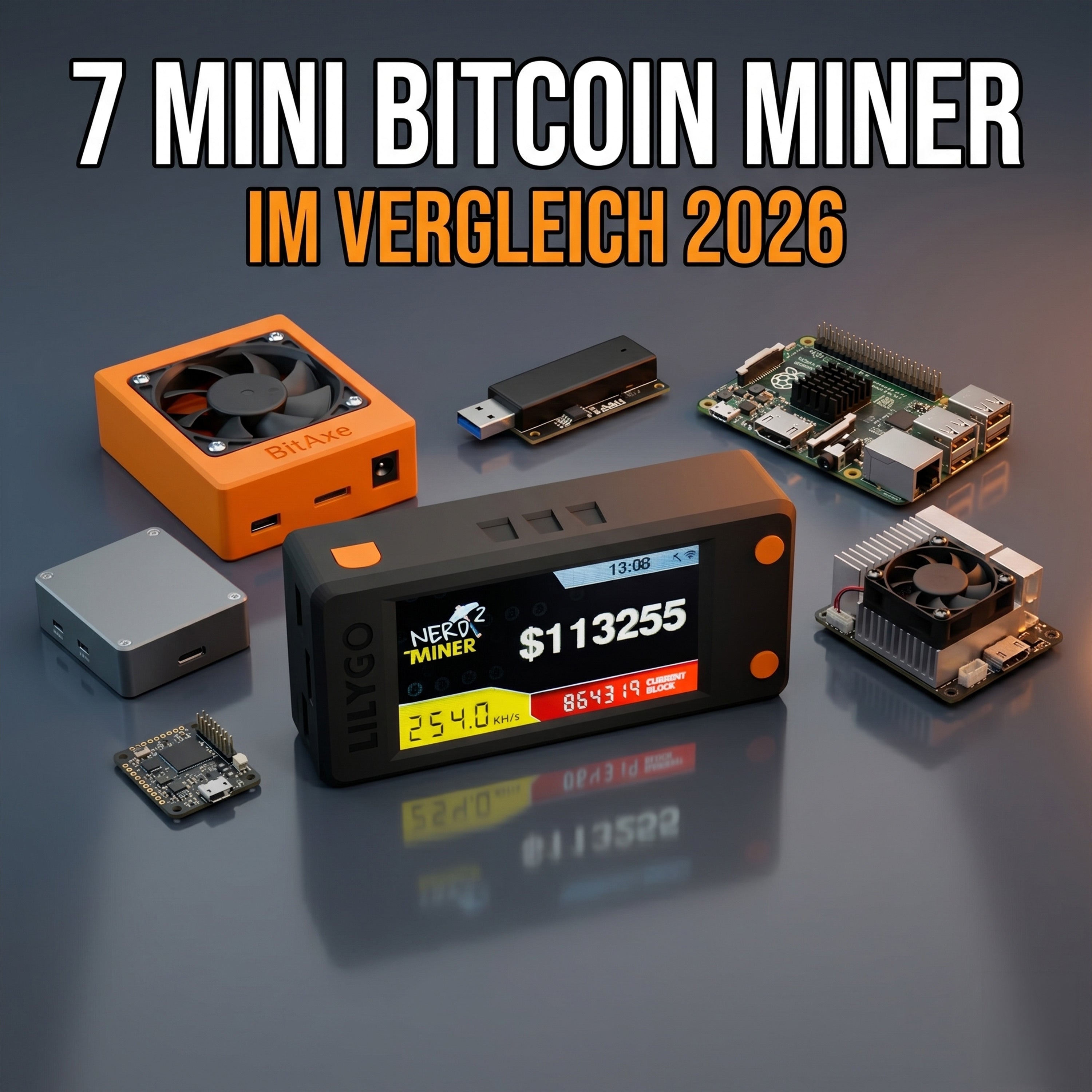
The Nerdminer V2 is the most well-known USB solo miner — but by no means the only one. Since the Nerdminer community introduced the concept in 2021, other mini Bitcoin miners have emerged, each with its own strengths: more hashrate, better display, smaller form factor, cheaper, or as a DIY kit. This guide compares the 7 most relevant alternatives to the Nerdminer V2 — including hashrate, price, special features, and recommendations for when each device makes more sense.
Note on classification: "Alternative to Nerdminer V2" in this article does not refer to professional ASICs like Antminer or Whatsminer (which cost 50 times as much and are not direct competition), but rather all mini-miners in the €20-150 price range with hashrates under 1 TH/s.
The 7 Alternatives at a Glance
| Device | Price | Hashrate | Power Consumption | Special Feature |
|---|---|---|---|---|
| Nerdminer V2 (T-Display S3) | €48.99 | 230-250 KH/s | < 1 W | Market leader, best firmware maintenance |
| NerdNOS | €60-80 | 280-320 KH/s | < 1 W | Fork with alternative firmware |
| Nerdminer V2 with fan (colored) | €64.99 | 230-250 KH/s | < 2 W | Optics + active cooling |
| GekkoScience Compac F | €95 | 600 GH/s | 4-5 W | Significantly higher hashrate, no display |
| GekkoScience R909 | €130 | 900 GH/s | 7 W | Strongest USB stick miner |
| DIY Nerdminer Kit | €25-35 | 230-250 KH/s | < 1 W | Solder yourself, cheaper |
| Block Erupter (Legacy) | €10-20 (used) | 336 MH/s | 2.5 W | Nostalgia value, technically outdated for mining |
1. Nerdminer V2 with T-Display S3 — the Benchmark
The standard against which all others must be measured. The combination of the T-Display S3 board, the official NerdMiner_v2 firmware, and the large community base makes the Nerdminer V2 the most reliable mini-miner on the market.
Strengths: Best firmware maintenance in the scene, largest user community, German and English documentation, OLED display with live stats, extremely power-efficient, completely silent.
Weaknesses: Hashrate of 230-250 KH/s lower than some alternatives, no active cooling under continuous load.
For whom: Beginners, people who want a plug-and-play experience, gift buyers, anyone who wants a well-documented and supported device.
2. NerdNOS — the Fork with More Hashrate
NerdNOS (not to be confused with NerdNos by Skot9000) is a fork of the official NerdMiner firmware with an optimized SHA-256 kernel. On identical hardware, NerdNOS devices achieve around 280-320 KH/s instead of 230-250 KH/s — an increase of about 20-30%.
Strengths: Significantly higher hashrate, sometimes additional firmware features.
Weaknesses: Less active firmware maintenance than the official repo, smaller community, support situation less clear.
For whom: Tech enthusiasts who want maximum performance from the mini-class and are willing to troubleshoot problems themselves. Detailed comparison: Nerdminer V2 vs. NerdNOS — is the fork worth it?
3. Nerdminer V2 with Fan (Color Variants)
Visually enhanced variants of the standard Nerdminer: colorful housing (black, red, blue, green) and a small fan for active cooling. The hashrate is identical to the standard — 230-250 KH/s. Cooling is useful for continuous 24/7 operation at room temperatures above 28 °C.
Strengths: Better aesthetics, chip stays slightly cooler under continuous load, higher quality feel.
Weaknesses: No higher hashrate, small fan produces a faint hum, €15-20 surcharge.
For whom: Desk decoration, gift buyers, anyone with aesthetic demands.
4. GekkoScience Compac F — the Hashrate Leap
A completely different concept: The Compac F is a classic USB stick miner with a real Bitcoin ASIC chip on board (BM1387 from Bitmain). Result: 600 GH/s hashrate — that's about 2,400 times more than a Nerdminer V2. Power consumption at 4-5 watts.
Strengths: Hashrate in a completely different league, solo mining statistically promising in 20-40 years instead of 47,500 years.
Weaknesses: No display, requires host software on a Raspberry Pi or PC, significantly less plug & play, higher power consumption.
For whom: Tinkerers with Raspberry Pi who value realistic block probability.
5. GekkoScience R909 — the Strongest USB Miner
The larger version of the Compac F: around 900 GH/s hashrate, 7 watts, also in USB stick format. This is currently the strongest USB miner you can still reasonably operate on a Raspberry Pi.
For whom: Advanced hobby miners who want to skip the transition to the open-source board realm (BitAxe) but need more hashrate than a Nerdminer.
6. DIY Nerdminer Kit
For anyone who can solder and wants to save a bit on the price: There are now several DIY kits available that allow you to assemble a Nerdminer V2 yourself. You'll need the T-Display S3 board (approx. €15-20), a reset button, a housing, and a steady hand for SMD soldering.
Strengths: Cheaper than a pre-built device, a fulfilling tinkering experience, you know exactly what's inside your miner.
Weaknesses: Time-consuming, soldering equipment needed, no support for errors.
For whom: Solder-savvy tinkerers with time and a willingness to learn.
7. Block Erupter (Nostalgia Class)
The Block Erupter is a historical USB miner from the 2013/2014 era — with an impressive 336 MH/s at the time. You can sometimes find it used for €10-20. It has collector's value as a piece of mining history, but it is mathematically completely irrelevant: 336 MH/s is about 750 times faster than a Nerdminer, but the Bitcoin network has become millions of times faster since 2014, so finding a block is astronomically unlikely here too.
For whom: Bitcoin historians, collectors, hardware nostalgists.
Which Alternative for Which Purpose?
"I want the simplest plug-and-play device"
Nerdminer V2 (T-Display S3) — no competition, no discussion. Best firmware, best documentation, best community.
"I want maximum hashrate in a mini format"
GekkoScience R909 — about 4,000 times the hashrate of the Nerdminer V2 in a similar form factor. However, it requires host software (Raspberry Pi).
"I want a gift that looks cool"
Nerdminer V2 with fan in a colorful variant — visually appealing, plug & play, identical user experience to the standard.
"I want the Nerdminer feeling, but more hashrate"
NerdNOS — same form factor, +20-30% hashrate through optimized firmware.
"I want to build and solder myself"
DIY Nerdminer Kit — cheaper, more educational, weekend project.
"I need statistically realistic block chances"
No USB device realistically fulfills this. You need to move into the open-source board class — starting with the BitAxe Gamma (€150-200). Detailed comparison: Nerdminer vs. BitAxe.
What All Alternatives Have in Common
Before you decide between Nerdminer V2, NerdNOS, GekkoScience, or DIY, keep these facts in mind:
- No mini-miner in this class is economically profitable. All are learning devices with a lottery chance.
- All require 2.4 GHz WLAN or a USB host with Ethernet, no 5 GHz.
- All only support SegWit and Legacy wallet addresses, no Taproot addresses (bc1p...).
- All have a "WLAN disconnect bug" risk if the firmware is outdated. Firmware updates are part of operation.
- All have similar basic setup requirements (Bitcoin address, pool URL, WLAN configuration).
Frequently Asked Questions About Nerdminer Alternatives
Is the GekkoScience Compac F better than the Nerdminer V2?
Hashrate-wise yes, significantly — about 2,400 times more. User-experience-wise no: The Compac F requires a Raspberry Pi or PC as a host, has no dedicated display, and is less plug & play. If you only mean "better" in terms of "more hashrate": yes. If "better" means "simpler and nicer": no.
Why are there no USB miners with TH hashrate?
Physical limit: USB typically delivers a maximum of 2.5-4.5 watts (USB 2.0 / 3.0). To achieve 1 TH/s, you need at least 10-15 watts with current ASIC chips. This exceeds the USB specification — therefore, anything above 1 TH/s must run with an external power supply and thus leaves the "USB miner" class.
Can I flash a NerdNOS fork onto my existing Nerdminer V2?
Theoretically yes. The NerdNOS firmware runs on the same T-Display S3 board. However, there is no official build distribution — you have to compile the firmware yourself, which requires Arduino IDE knowledge. Not recommended for most users.
Which alternative has the best community?
The official Nerdminer V2 has by far the most active community: Discord server, GitHub repository with regular updates, YouTube tutorials in German, English, and Spanish. No alternative comes close in terms of support ecosystem.
Read More
- Buy Bitcoin Miner 2026 — the complete buying guide
- Buy Nerdminer — 7-Point Checklist
- Nerdminer V2 vs. NerdNOS — detailed
- Nerdminer vs. BitAxe — when is the surcharge worth it?
- Nerdminer V2 Test — 12 months experience report
Order Nerdminer V2
Buy Nerdminer V2 — the bestseller among mini-miners
To the Nerdminer V2 in the shop →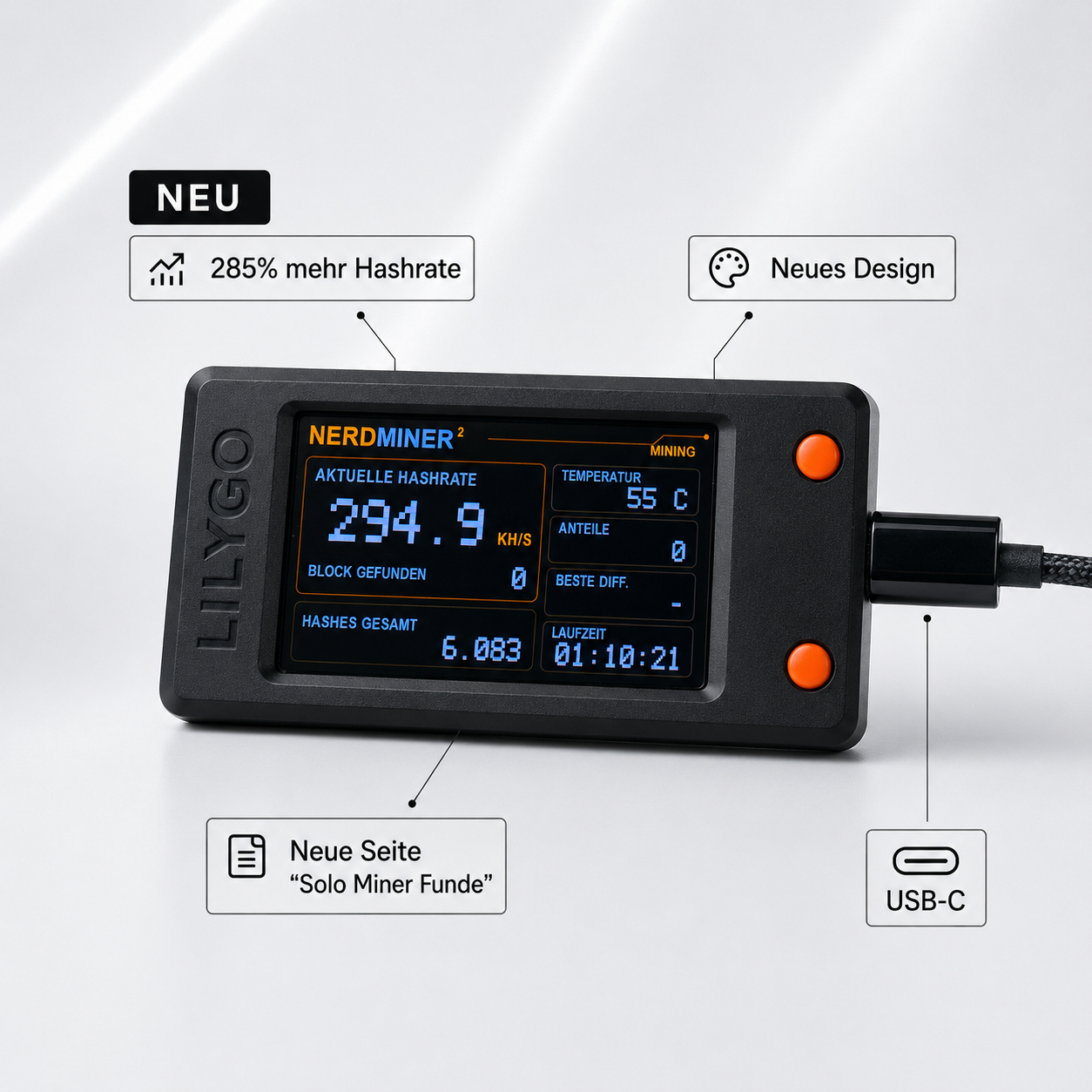


Teilen: