
Short answer
Running the Nerdminer V2 on a phone hotspot
At around 1 watt the Nerdminer V2 runs silently anywhere, so with a phone hotspot you keep mining in a café, on a train or on holiday. One thing matters: set the hotspot to 2.4 GHz or the Nerdminer will not connect. Data use is around 90 MB a month (~1.5–3 MB a day), and a 10,000 mAh power bank runs it for 30 to 40 hours.
To the Nerdminer V2 in the shop →The Nerdminer V2 is small, light and frugal, which makes it one of the few bitcoin mining devices you can genuinely take with you. With an ordinary USB-C charger or a small power bank and a phone hotspot you can carry your mining anywhere: to a café, onto a train, up to a cabin, away on holiday. This guide shows you step by step how to connect the Nerdminer V2 to a phone hotspot, what to watch out for and how much mobile data mining actually uses.
Why mine on the move with a Nerdminer V2?
There are three realistic reasons to run a Nerdminer on mobile data:
- Travel and holidays: you would rather not lose two weeks of hash rate because your home router restarted. With the Nerdminer in your bag you keep mining wherever you are, and the next block find can just as easily land in a hotel room as at home.
- Demonstrations: you want to show a friend or colleague how bitcoin mining works. With a hotspot you are running anywhere in three minutes.
- A backup when the home network is down: during an internet outage you switch to the phone hotspot temporarily and avoid a mining pause.
How much data does the Nerdminer V2 use?
The central question when running on mobile data: will the Nerdminer eat my allowance? The answer is surprisingly modest:
- Stratum protocol traffic: ~1–2 KB per minute
- Per hour: ~60–120 KB
- Per day (24h): ~1.5–3 MB
- Per month (30 days): ~45–90 MB
For comparison: a single WhatsApp voice message is usually around 100 KB. An hour of HD video on YouTube uses about 1.5 GB, which is as much as the Nerdminer uses in a whole year.
On a typical mobile plan with 5 to 10 GB a month, the Nerdminer accounts for less than 2 % of your allowance. Even on a 1 GB plan (an old prepaid SIM, say) you keep more than 90 % for everything else.
Connecting the Nerdminer V2 to a phone hotspot
-
Turn on the hotspot on your phone
Enable the personal hotspot and set it to 2.4 GHz. That is the decisive point, because the Nerdminer cannot use the 5 GHz band.
iOS (iPhone):
- Open Settings
- Select Personal Hotspot
- Turn on "Allow Others to Join"
- Note the Wi-Fi password or set a new one
- Important: turn on "Maximise Compatibility", which forces the hotspot onto 2.4 GHz. From iOS 14 the iPhone hotspot otherwise runs on 5 GHz by default and the Nerdminer will not connect. The hotspot is named "iPhone von [YOUR NAME]" by default on a German device.
Android:
- Open Settings
- Connections → Mobile Hotspot and Tethering → Mobile Hotspot (the wording varies by Android version)
- Turn the hotspot on
- Check or change the name (SSID) and password
- Important: set "AP Band" or "Hotspot frequency band" to 2.4 GHz. On Samsung devices it lives under "Configure Mobile Hotspot → Advanced → Band", on a Google Pixel under "AP Band".
-
Connect the Nerdminer V2 to the hotspot
Once the hotspot is running (on 2.4 GHz), configuring the Nerdminer is the standard procedure:
- Switch the Nerdminer on and connect to the
NerdMinerAPsetup network (from a tablet, for example) - Open
192.168.4.1in the browser - Pick the hotspot name from the network list
- Enter the hotspot password
- The bitcoin address and pool URL stay exactly as they are at home
- Save; the Nerdminer restarts
- Switch the Nerdminer on and connect to the
Within a minute or two the display shows the hash rate. As long as the hotspot is running, the Nerdminer keeps mining normally, exactly as if it were on your home Wi-Fi.
No bitcoin address of your own yet?
The bitcoin address and pool URL stay identical on the move, so you enter them once and mine anywhere. If you do not have an address yet, create one free in under 10 minutes at Finst (EU regulated) and you can mine on the move exactly as at home.
Create a free bitcoin address at Finst →Power on the move
The Nerdminer V2 draws around 1 watt, roughly 200 mA at 5 V. That is trivial:
- Power bank: a 10,000 mAh bank runs the Nerdminer for roughly 30 to 40 hours
- USB charger: any standard phone charger is enough
- Car USB socket: works without trouble, even on standby
- Laptop USB port: yes
If you want to run the Nerdminer entirely off-grid for several days, add a 20,000 mAh power bank, which gives you 60 to 80 hours of mining without a socket.
Phone hotspot against a dedicated MiFi router
An alternative to the phone hotspot is a dedicated mobile router (a Huawei E5577 or TP-Link M7350, for instance). These small devices cost €30-80 and have the advantage of broadcasting 2.4 GHz permanently, without tying up your phone as a hotspot. You can also put any SIM you like in them and be more flexible about data plans.
For occasional mobile use, though, the phone is entirely sufficient.
What to watch out for when mining on the move
- Mind your plan's limits: even though the Nerdminer uses little, on very restrictive data plans or with roaming caps the usage does add up.
- Watch the phone battery: running a hotspot costs a phone a lot of battery. For longer mining sessions, charge the phone at the same time.
- Do not let the hotspot idle out: some iPhones switch the hotspot off automatically after a period without activity. The Nerdminer's constant stratum traffic means this practically never happens, but it is worth knowing.
- Force 2.4 GHz: as described above, without an explicit 2.4 GHz setting the Nerdminer will not connect.
- Plan for the trip home: when you are back, you have to configure the Nerdminer again, because it stores only one Wi-Fi profile.
Common questions about mining on the move
Does the Nerdminer V2 work on a 5G network?
Indirectly yes. The Nerdminer has no 5G modem of its own; it connects over Wi-Fi to your phone's hotspot. If your phone has 5G reception and broadcasts a Wi-Fi hotspot, the Nerdminer mines normally. The 5G speed carries through to the hotspot.
Can I run the Nerdminer on a plane?
No. Mobile data is not allowed in flight and the Nerdminer needs an internet connection. In-flight Wi-Fi usually does not work either, because it is 5 GHz, paid for, or behind a captive portal, which the Nerdminer cannot fill in.
Can I run several Nerdminers on the same hotspot?
Yes, without limit in practice. Phones normally allow 5 to 10 simultaneous Wi-Fi clients, which is plenty for several Nerdminers. The data usage adds up accordingly (10 devices × 90 MB = 900 MB a month).
Which mobile plan works best?
Practically any. Even prepaid plans with 1 to 2 GB a month are enough. If you mine on the move often and would rather not use your own phone's allowance, a second SIM (Aldi Talk, congstar, freenet) at €5-10 a month is worth it.
What happens if the hotspot connection drops briefly?
On firmware 1.8.3 the Nerdminer makes 5 reconnect attempts and then performs a hard reset. If the hotspot signal comes back within that time, everything continues without intervention. After a longer outage (a tunnel, say) you have to restart the Nerdminer manually once you have reception again.
Read on
Nerdminer V2, mine anywhere, at home and away
At around 1 watt and happy on a power bank, the Nerdminer V2 is the portable one: enter your address and pool once, then mine in a café exactly as you do in the living room.
To the Nerdminer V2 in the shop → For stationary use at home the NerdNOS is the real ASIC step up at ~100 GH/s. At 7-8 W it needs a socket, so it is not a travel device.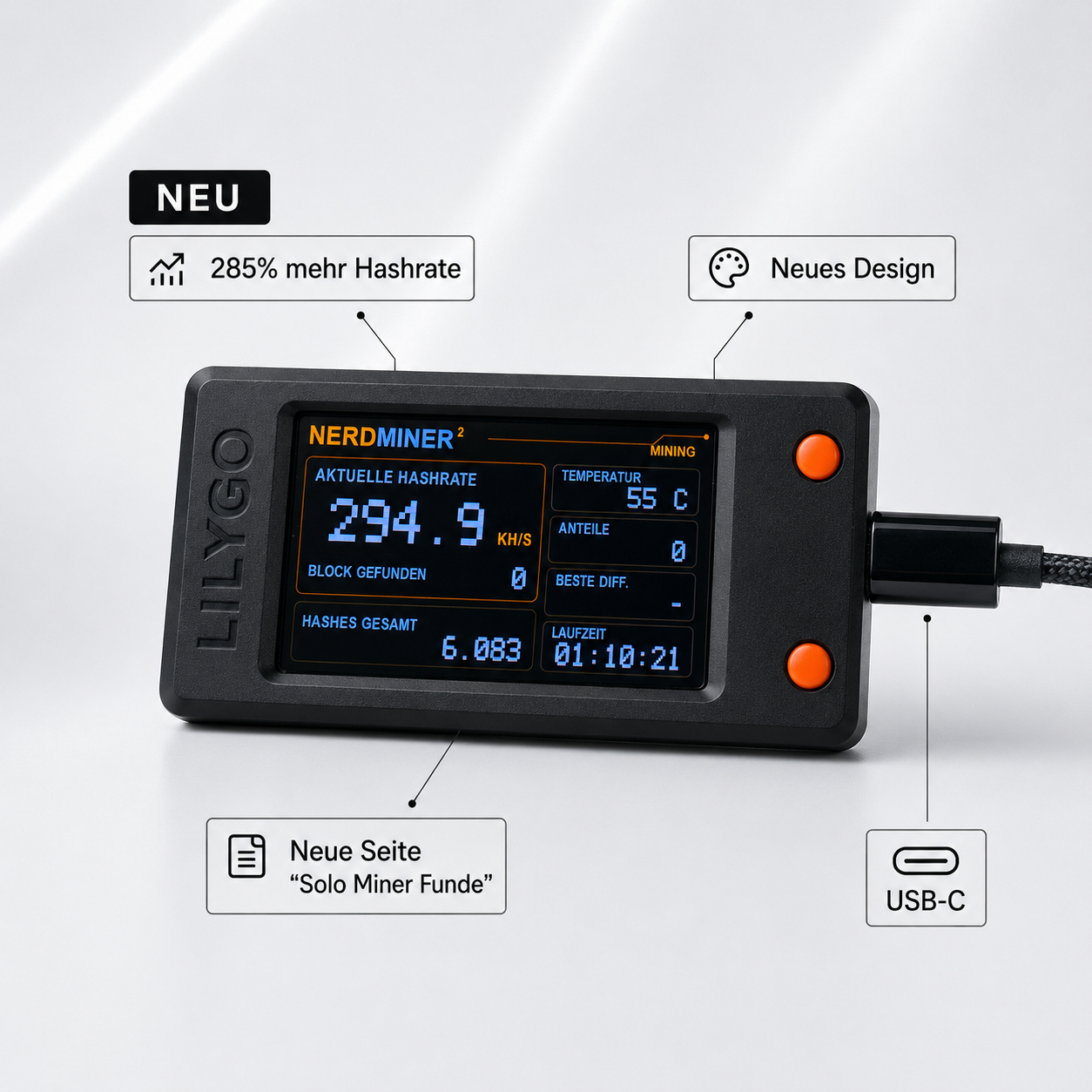


Share: