Larger touchscreen
A 2.8-inch display with touch controls. Switch between mining and additional views.
The BitMiner One is the Nerdminer successor with around 1,000 kH/s, a large 2.8-inch touch display and app setup in a few minutes. It computes more than the V2 and shows mining data, Bitcoin price and time on its display.
The BitMiner One is available for pre-order. The shipping zones and costs below apply shop-wide.
Pre-order · ships by 30 November
You are pre-ordering from a production run, not from a full warehouse. That is why it takes longer than usual, and why we spell out exactly what is happening. Your order ships no later than 30 November.
Where it stands · Production at the manufacturer Pre-order from the upcoming batch. Ships by 30 November 2026.
Introductory price through Cyber Monday, 30 November 2026: €59.99 without a cable / €64.99 with a USB-C cable. Afterwards €64.99 without a cable / €69.99 with a USB-C cable.
incl. VAT, plus shipping
Large 2.8-inch touch display, around 1,000 kH/s with the BitMiner24 firmware and app setup over Bluetooth.
Included: BitMiner One, stand, touch stylus and German instructions
USB-C cable with the cable variant · power supply not included
Set up over Bluetooth with the free BitMiner24 app: App Store · Google Play · About the app
Pay in instalments. Klarna lets you split the amount; you will see the terms at checkout.
Goes well with
 NerdNOS: your shot at 3.125 BTC€99.00 · Pre-orderView
BitMiner One
The next step after Nerdminer V2: a larger touchscreen, a stand and more computing power in the microcontroller class. Mining data, Bitcoin price and a clock get their own place on your desk.
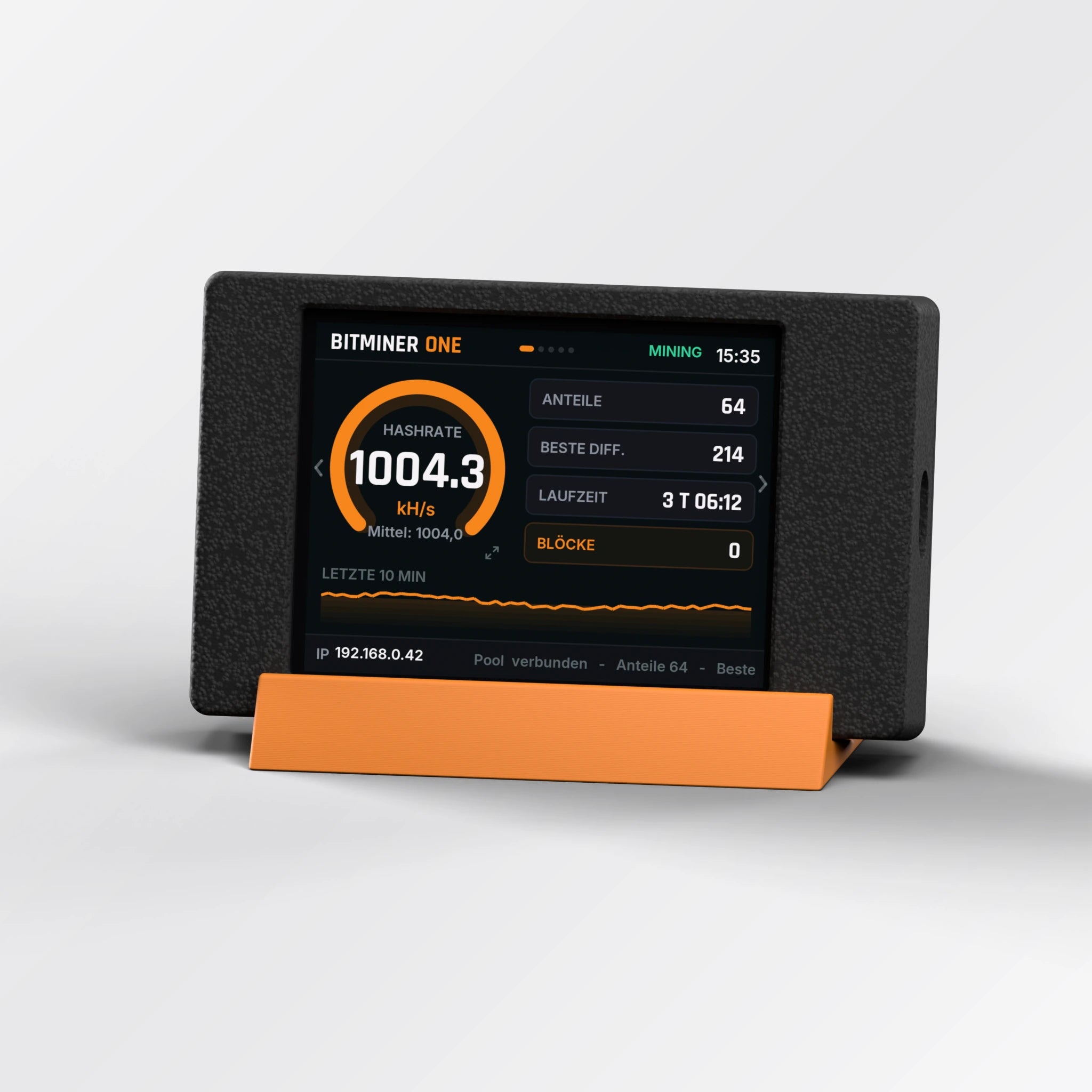
A 2.8-inch display with touch controls. Switch between mining and additional views.
Fanless, with no computer needed for ongoing mining. Use a suitable USB power supply.
Enter your own compatible Bitcoin receiving address and choose a pool. Mining itself does not require an app subscription.
Successor
Anyone searching for a “Nerdminer V3” or “Nerdminer V4” usually wants more hashrate and a bigger display than the Nerdminer V2. That is what the BitMiner One is built for: around 1,000 kH/s with the BitMiner24 firmware instead of up to 300 kH/s, a 2.8-inch touch display instead of 1.9 inches, and setup via the app. The BitMiner One is BitMiner24’s successor to the Nerdminer V2.
| Nerdminer V2 | BitMiner One | |
|---|---|---|
| Hashrate | up to 300 kH/s | around 1,000 kH/s |
| Display | 1.9″ colour display | 2.8″ touch display |
| Setup | setup Wi-Fi with QR code | BitMiner24 app via Bluetooth |
| Placement | small, any USB port | with stand, touch stylus included |
Watch your miner at work and explore its additional views.
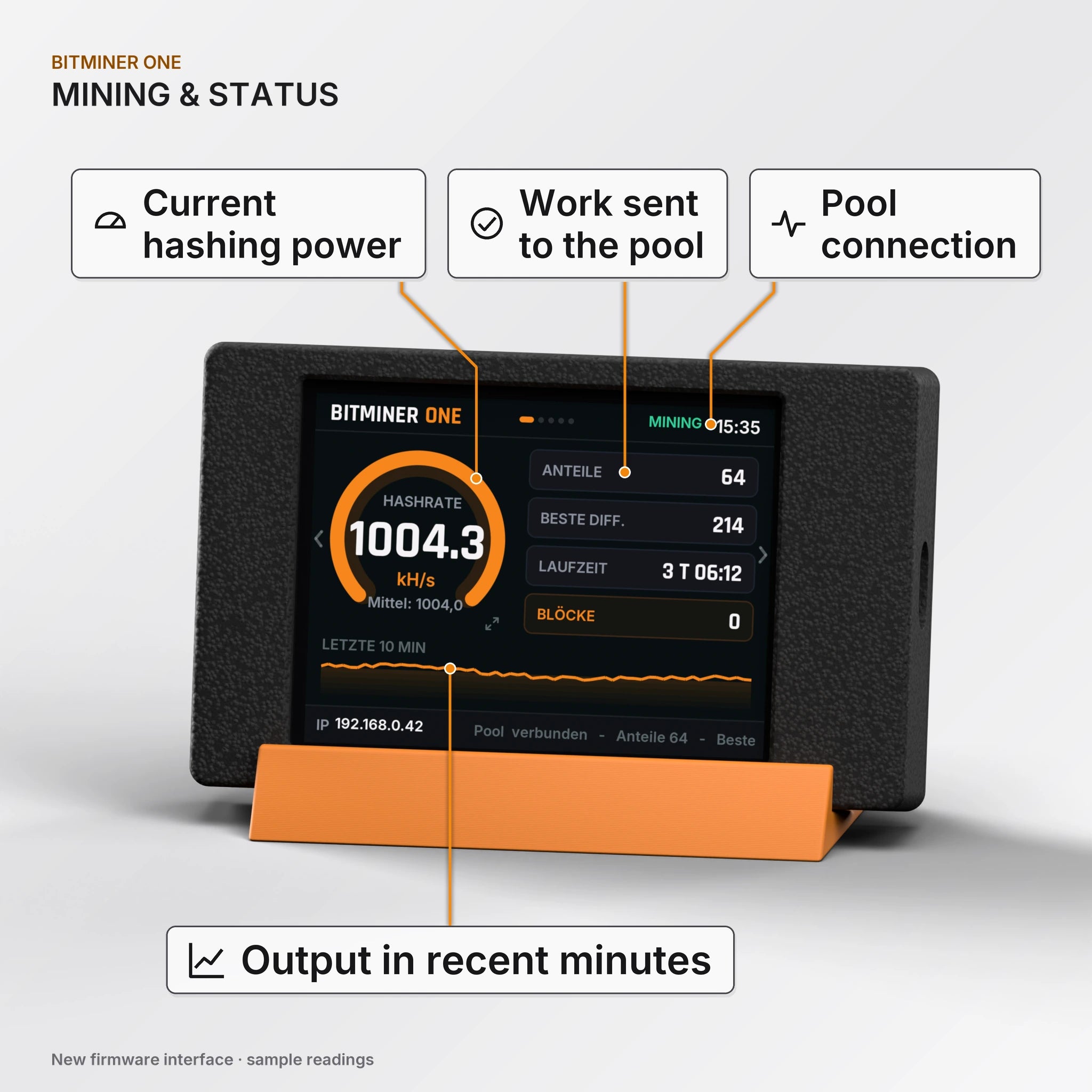
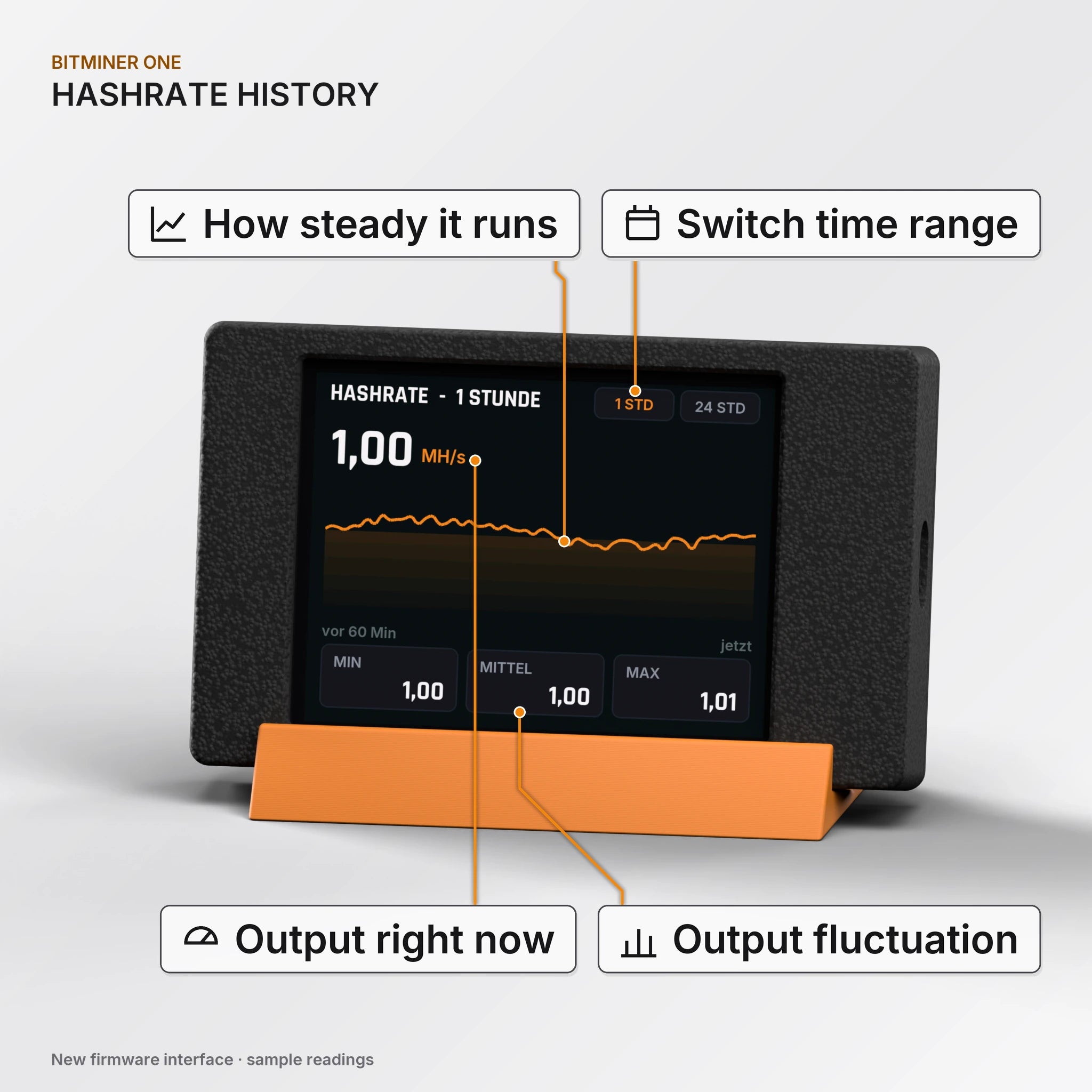
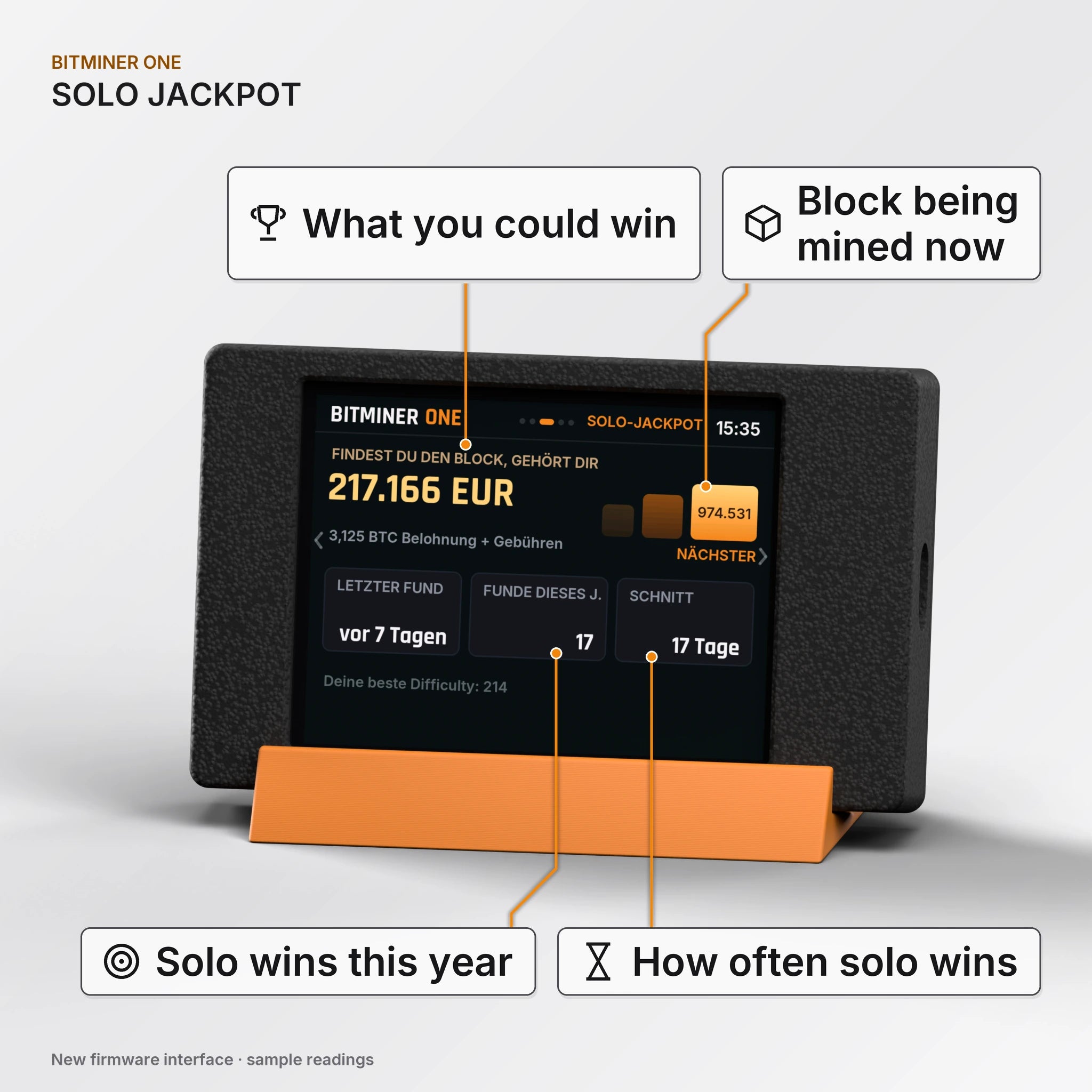
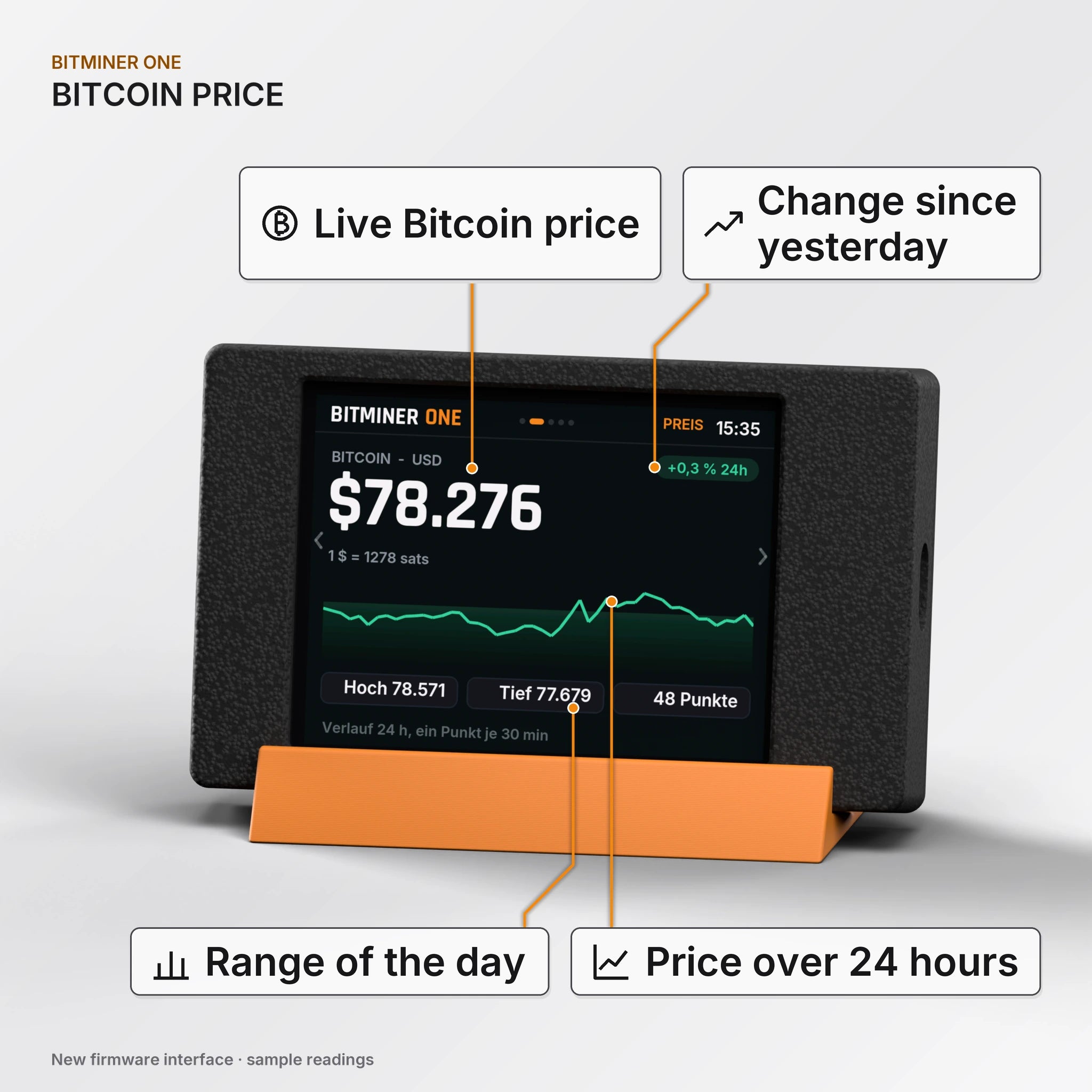
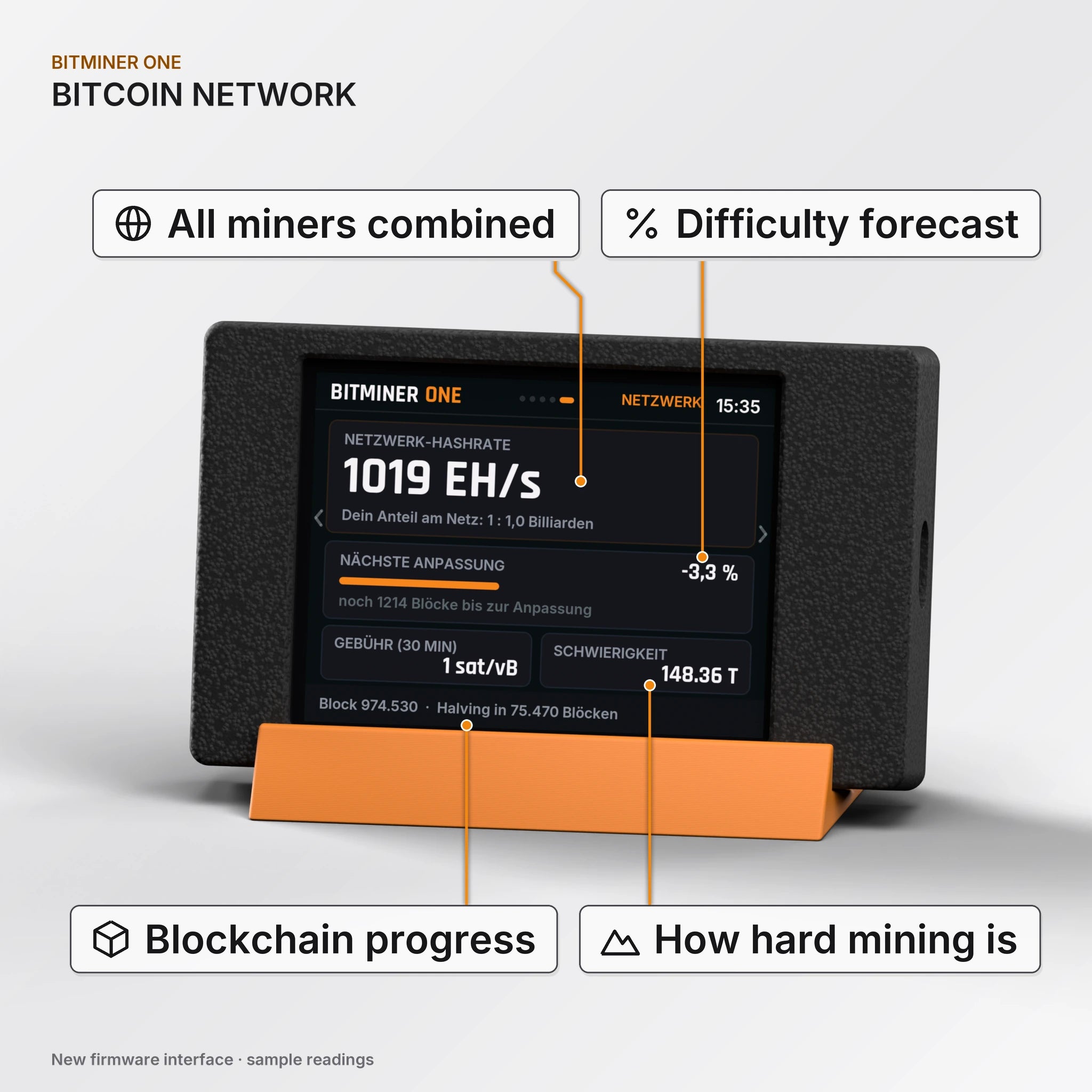
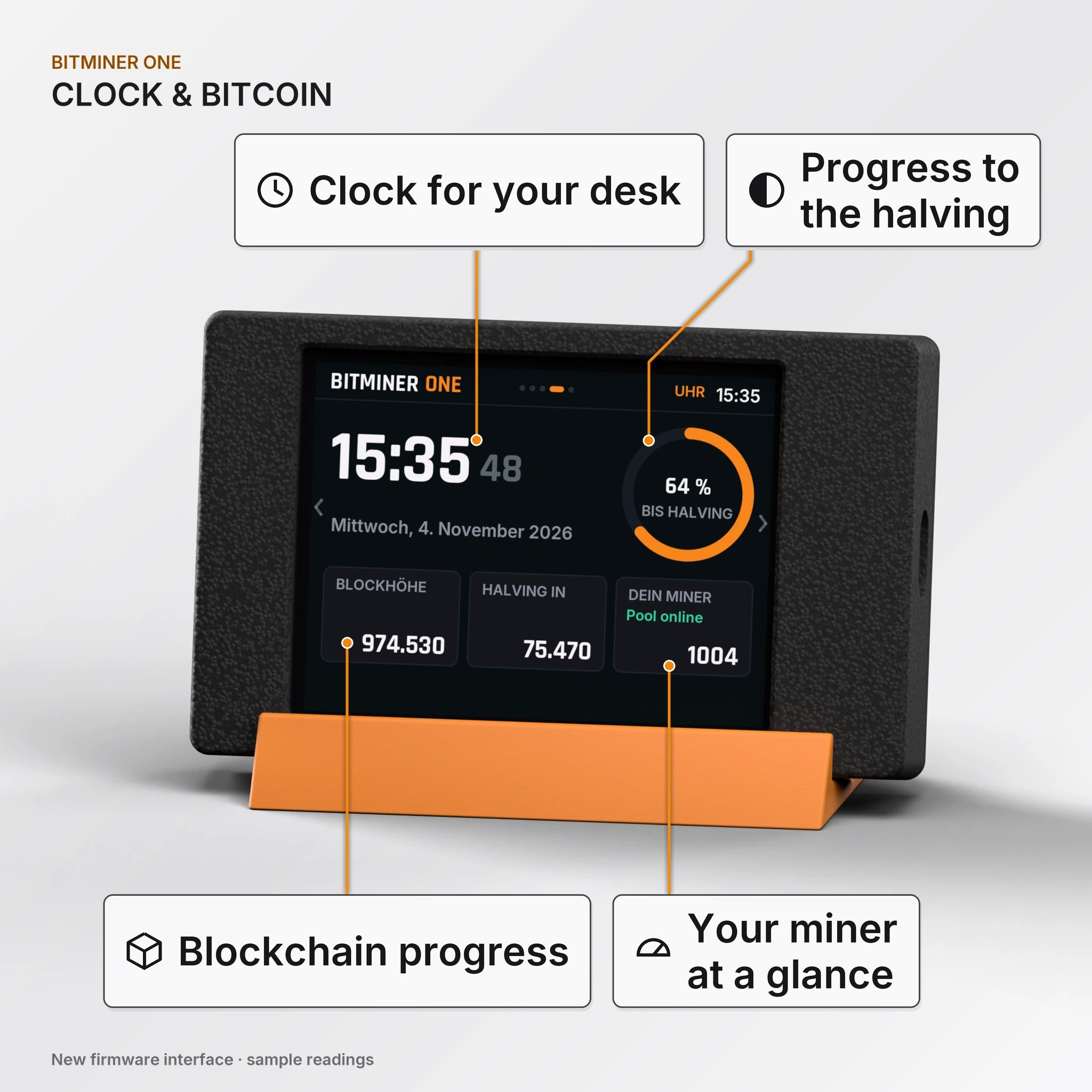
Bitcoin price and a solo tracker add further context. Switch views directly on the touchscreen; availability depends on installed firmware.
¹ Previous reference figures; dependent on firmware, settings and hardware batch. Final performance figures will be checked before launch. Adapter losses can increase consumption. ² Approximate enclosure dimensions; One excludes the stand, NerdNOS lists front size and overall depth.
USB-C cable optional.
Connect the BitMiner One to a 5 V USB-C adapter with at least 1 A; the adapter is not included.
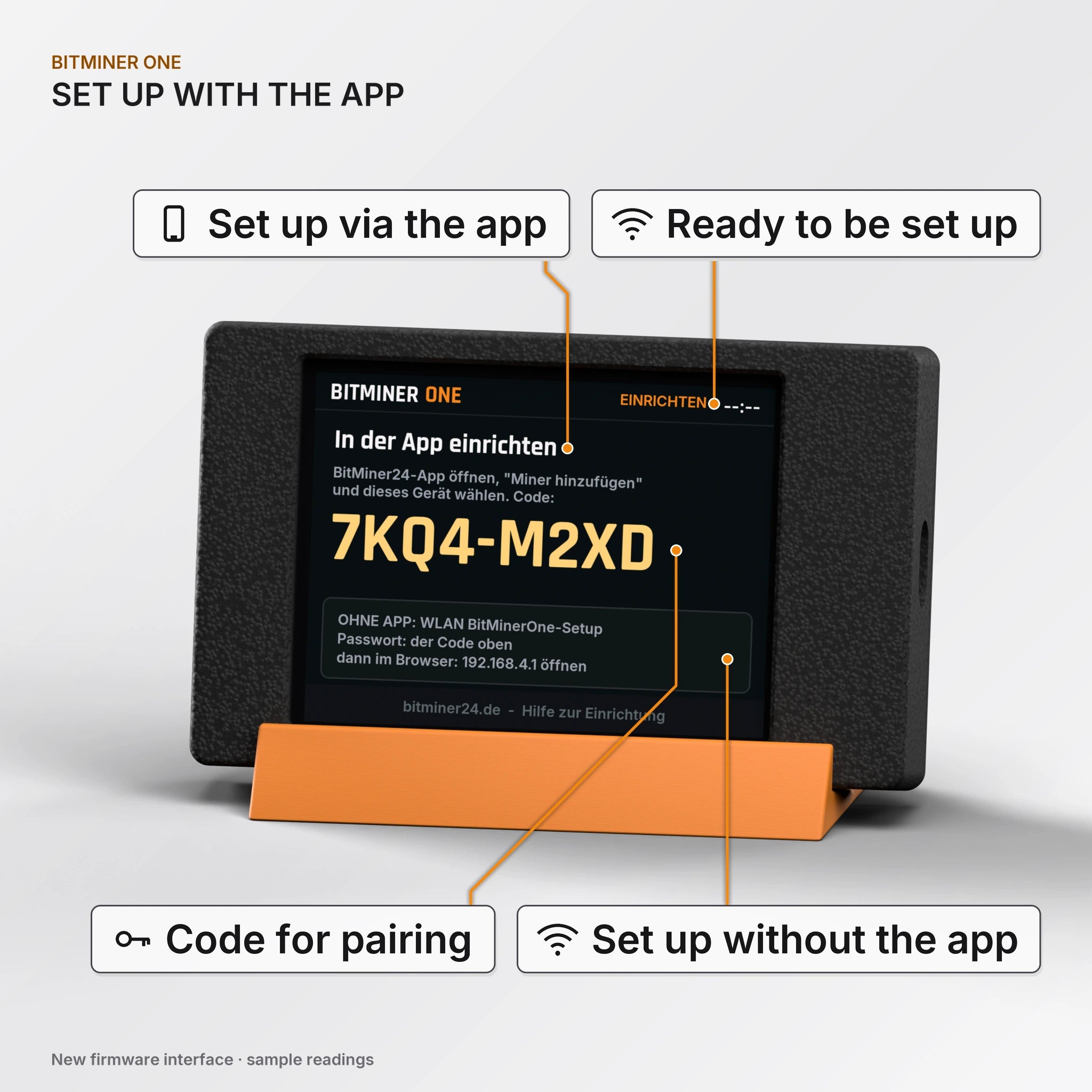
Follow the display, open the app and select your device. Enter home Wi-Fi and your Bitcoin address.
Check Wi-Fi, pool connectivity, running hashrate and initial status values.
Your miner calculates SHA-256 hashes and works on jobs from the selected solo pool. Accepted shares show work performed; they do not trigger regular payments. A valid Bitcoin block earns the block reward under the pool’s rules.
More hashrate means more attempts per second. A block find remains extremely rare. Choose the miner for its technology, controls and learning value; there is no fixed income or promised time to success.
Compare hashrate, costs and devicesNo. After setup, the miner operates independently using its power supply and Wi-Fi. USB firmware updates require a computer.
Yes. Enter a compatible public receiving address. Never enter private keys or recovery words. Pool-specific rules apply if you change pools.
The miners are prepared for solo mining. Pool settings can be changed depending on firmware. Check host, port, supported hardware and terms first.
During normal operation you can disconnect power. Saved Wi-Fi and address settings are used on the next start. Never disconnect during an update.
The microcontroller miner has no fan. Use a suitable power adapter and leave space around the device.
For illustration, 1 W continuously at €0.35/kWh costs about €3.07 per year. Actual consumption, adapter losses and your tariff determine the real cost.
Yes. Set up each one individually and use distinct device names. The same compatible Bitcoin address is possible. Computing power adds up; finding a block remains uncertain.
Availability and any pre-order date appear in the purchase area. Shipping terms explain transit time after dispatch. Check the information for your selected variant.
The central software-update page guides you to your model. Only use matching firmware. For support, include the model, installed version and a display photo.
Manufacturer
BitMiner24 (David Brombacher & Phillip Kretzschmar GbR)
Fetzerstraße 9, 70199 Stuttgart, Germany
info@bitminer24.de
Product
BitMiner One (based on ESP32, Firmware BitMiner24)
Item number BM-ONE
Radio
2.4 GHz Wi-Fi and Bluetooth LE (2400–2483.5 MHz).
Safety notes
Disposal
Do not dispose of it with household waste; hand it in free of charge at a municipal collection point. Delete personal data (Wi-Fi access, wallet address) first. WEEE reg. no. DE 52644762.


