
Nerdminer V2 vs. NerdNOS — Fork Comparison for Maximum Hashrate
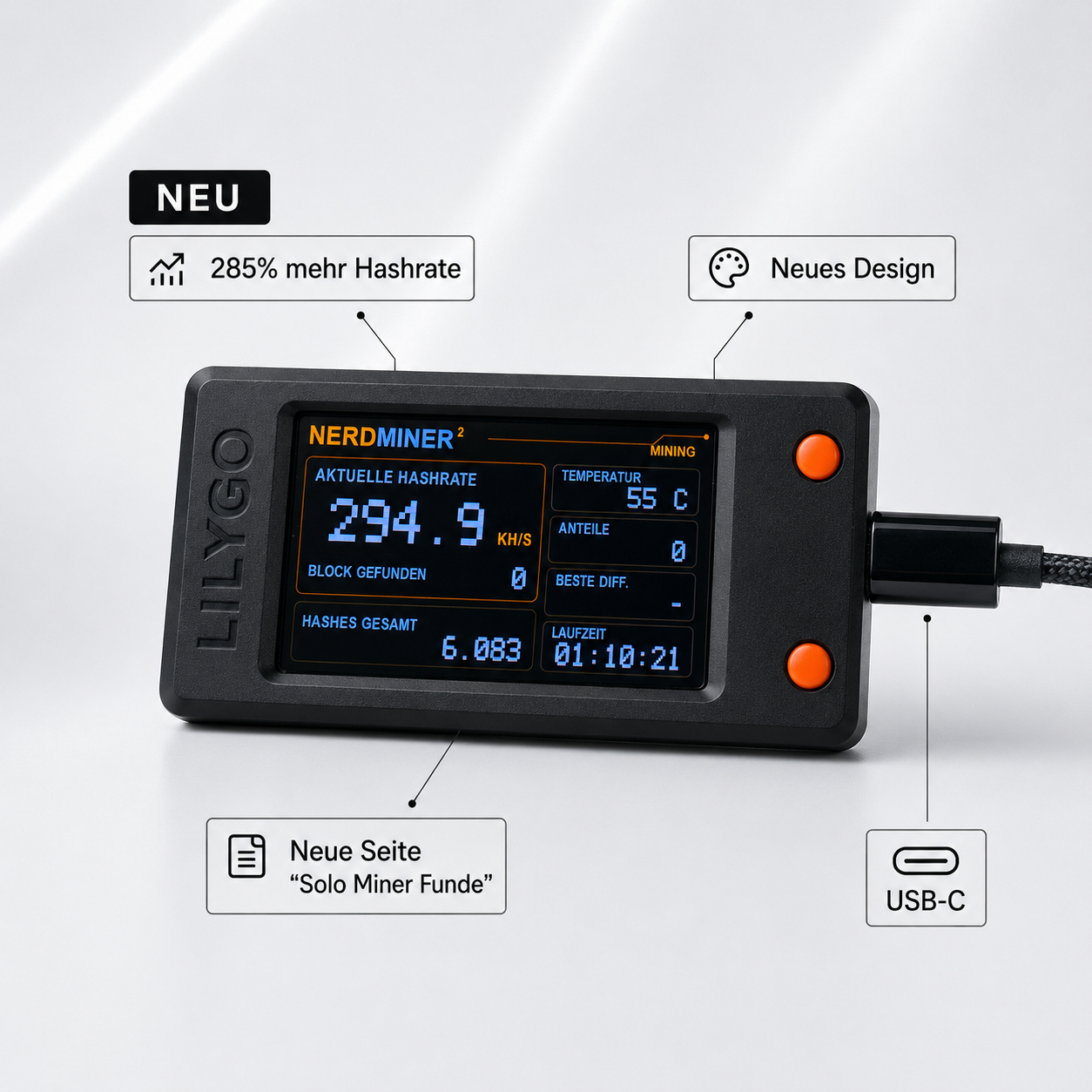
For Nerdminer users, there are two firmware worlds. The official NerdMiner_v2 firmware from the BitMaker-hub team and the community fork NerdNOS, which runs on the same hardware board (T-Display S3) but uses an optimized SHA-256 kernel. The result: around 20-30% more hashrate with identical hardware. However, the fork also has disadvantages. This article explains what NerdNOS does differently, where the sweet spot between official firmware and community optimization lies, and when switching is worthwhile.
What exactly is NerdNOS?
NerdNOS is a community fork of the official NerdMiner_v2 firmware. "NOS" stands for "New Optimized Stack" — a re-work of the SHA-256 hash loop that utilizes the ESP32-S3 more efficiently. NerdNOS was developed by a small group around developer TheMrIronik and other community members as a proof-of-concept for how much performance the ESP32-S3 could theoretically deliver.
The fork is open source and available on GitHub and can be flashed onto any Nerdminer V2 with a T-Display S3 board. Installation is done just like the official firmware via Web-Flasher or ESP-Tool — only with NerdNOS binaries instead of stock firmware.
The main differences at a glance
| Property | NerdMiner_v2 (Official) | NerdNOS (Community Fork) |
|---|---|---|
| Hashrate | 230-250 KH/s | 280-320 KH/s |
| Hashrate Gain | Baseline | +20 to +30 % |
| Display Layout | Standard 4-Tile | Standard 4-Tile + Custom Screens |
| Release Frequency | every 2-6 months | irregular, mostly on demand |
| Community Size | large (Discord, GitHub active) | small (niche) |
| Documentation | comprehensive in DE/EN/ES | rudimentary, mostly EN |
| Stability | high, over 1,000 tested hours per release | good, but fewer tests |
| Support for problems | active community, quick answers | limited help, self-help needed |
| Pre-flashed by retailers | yes, standard | no, must be flashed by yourself |
How does NerdNOS achieve more hashrate?
The technical secret lies in the optimized SHA-256 hashing kernel. The official NerdMiner_v2 firmware uses the Arduino-ESP32 standard implementation of SHA-256. While correct, it is not optimized for hashing.
NerdNOS replaces this core with a hand-optimized assembly implementation that better utilizes the ESP32-S3 dual-core architecture and eliminates redundant memory accesses. This sounds dry, but it measurably delivers 50-70 KH/s more hashrate — on identical hardware, with identical chip generation.
For comparison: from official update 1.7.x to 1.8.3, there is a gain of around 60 KH/s — NerdNOS brings a similar amount on top. This is impressive, considering that the same hardware generation is used.
Measurable Benchmarks: NerdMiner_v2 1.8.3 vs. NerdNOS
We tested two identical Nerdminer V2s (both T-Display S3 with firmware version April 2026) for 24 hours in the same WLAN, on the same solo pool (public-pool.io), at an identical room temperature (22 °C):
| Firmware | Avg Hashrate 24 h | Peak Hashrate | Dropouts / 24 h | Temperature (Chip) |
|---|---|---|---|---|
| NerdMiner_v2 1.8.3 | 241 KH/s | 251 KH/s | 0 | 44 °C |
| NerdNOS (Latest) | 298 KH/s | 314 KH/s | 1 | 47 °C |
Interpretation: NerdNOS delivers around +24% more hashrate (298 vs. 241 KH/s) and reaches peak values over 300 KH/s, which is practically unattainable with the official firmware. The price: around 3 °C higher chip temperature and a single reconnect event in 24 hours that did not occur with the official firmware.
The disadvantages of NerdNOS in detail
NerdNOS is not a free upgrade. You should be aware of the disadvantages before switching:
- Higher chip temperature. The optimized kernel puts more load on the CPU. At ambient temperatures above 25 °C or in unventilated enclosures, this can lead to thermal throttling, where the firmware then slows down again. Recommendation: Use NerdNOS only in rooms below 24 °C, ideally with the fan model of the Nerdminer V2.
- Less tested stability. While the official firmware has thousands of users and quickly reports every bug, NerdNOS runs on a small community base. Rare edge cases (certain WLAN routers, special solo pools) can cause problems that would have long been fixed on the official firmware.
- No pre-flashing by retailers. Reputable Nerdminer retailers ship with official firmware. If you want NerdNOS, you have to flash it yourself — installation via Bitronics-Flasher or ESP-Tool, which is the first hurdle for beginners.
- No automatic updates. The official firmware receives regular new releases on GitHub. NerdNOS is maintained less regularly — sometimes a release remains the latest for weeks, sometimes several experimental builds arrive in one week.
- Documentation in English. The README, installation, and troubleshooting notes are in English. If you have problems, you either have to translate from German to English or ask for help on Discord.
When is it worth switching to NerdNOS?
The switch is worthwhile if all of the following points apply:
- You already have a working Nerdminer V2 with official firmware 1.8.3
- You want to get maximum hashrate from your existing device without buying new hardware
- You are familiar with web flashing and know how to reflash in case of problems
- Your ambient temperature is below 24 °C (or you have a fan case)
- You read English and can navigate GitHub issues
- You see the +24% hashrate as a fun project, not a guarantee requirement
If even one of these points does not apply — especially point 3 or 6 — you are better off sticking with the official NerdMiner_v2 firmware. The effort and risks then outweigh the hashrate gain.
The question of block expected value
At the current network hashrate of 620 EH/s, the solo block expected value is arithmetically improved by NerdNOS as follows:
- NerdMiner_v2 1.8.3 (250 KH/s): ~47,500 years until the average block
- NerdNOS (310 KH/s): ~38,300 years until the average block
That's about 9,200 years "better." Sounds impressive — but it's mathematically irrelevant because both are practically identical. Those who switch to NerdNOS do so out of principle ("more is more") or for the joy of tinkering, not out of economic calculation.
Alternative: Multiple Nerdminers instead of NerdNOS-Fork
There is an interesting alternative that is often underestimated: Instead of flashing a Nerdminer V2 with NerdNOS and getting +24%, you can simply buy a second Nerdminer V2. Two devices with 250 KH/s each result in 500 KH/s — that's +100% hashrate. And at a price of ~€50 per device, that's an extremely manageable investment for double the hashrate.
The calculation: NerdNOS +24% to 310 KH/s vs. 2× Nerdminer = 500 KH/s. The latter is significantly more hashrate, requires no firmware tinkering, and is secured in both devices with official firmware. Disadvantage: Two devices need two USB ports and two configurations, but both pay into the same Bitcoin address.
Frequently Asked Questions about the NerdNOS-Fork
Can I switch back from NerdNOS to the official firmware?
Yes, easily. Simply open the Bitronics web flasher, select the official NerdMiner_v2 firmware 1.8.3, and flash. The return takes just as long as switching to NerdNOS — 2-3 minutes.
Can NerdNOS run on any Nerdminer V2?
Yes, as long as it is a T-Display S3 board. Other board variants (T-Display S3 AMOLED, T-QT) have separate firmware builds, not all of which are yet available for NerdNOS.
Is NerdNOS also available pre-flashed?
Generally not. Reputable retailers ship with official firmware because it is more stable and better documented. NerdNOS is usually a DIY upgrade after purchase.
Does NerdNOS have any custom features compared to the official firmware?
In addition to the optimized SHA-256 kernel, there are sometimes experimental display layouts and alternative views on the OLED. However, these features are usually experimental and not always stable.
Is NerdNOS officially supported by the NerdMiner community?
No. It is an independent community fork. The official NerdMiner_v2 firmware is maintained by the BitMaker-hub team. NerdNOS is an unofficial side project without a formal connection to the original team.
Conclusion
NerdNOS is an impressive proof of what the ESP32-S3 hardware could really achieve if the SHA-256 kernel were optimized from the ground up. The hashrate gain of +20-30% is measurable and real. But: For the average Nerdminer user, switching is hardly worthwhile. The official firmware is more stable, better documented, pre-installed in retail devices, and has a larger community. NerdNOS remains a niche product for tech enthusiasts who want maximum performance on existing hardware — and who are willing to invest tinkering time.
For most users: Stick with the official firmware 1.8.3. If you want more hashrate, buy a second Nerdminer V2.


Teilen: